---
title: "Web Cloud Databases - Enabling PostgreSQL extensions"
description: "Find out how to enable the available extensions (PostGIS, hstore, unaccent, etc.) on a PostgreSQL database hosted on Web Cloud Databases"
url: https://docs.ovhcloud.com/en/guides/web-cloud/databases/db-enable-postgresql-extensions
lang: en
lastUpdated: 2026-07-01
---
# Web Cloud Databases - Enabling PostgreSQL extensions
## Objective
PostgreSQL extensions are modules that enrich your database with additional features: new data types, functions, operators or procedural languages. On a Web Cloud Databases solution, you can enable the compatible extensions directly from the OVHcloud Control Panel, without using the command line.
**This guide explains how to enable the available extensions on a PostgreSQL database hosted on a Web Cloud Databases solution.**
## Requirements
- A [Web Cloud Databases instance](https://www.ovhcloud.com/en-gb/web-cloud/databases/) using **PostgreSQL**.
- Having read the [Getting started with PostgreSQL](/en/guides/web-cloud/databases/db-getting-started-postgresql.md) guide.
***
### OVHcloud Control Panel Access
- **Direct link:** Web Cloud Databases
- **Navigation path:** Web Cloud > Web Cloud Databases > Select your database service
***
## Instructions
### Enabling an extension
Click on the tabs below to view each of the **3** steps.
**Step 1**
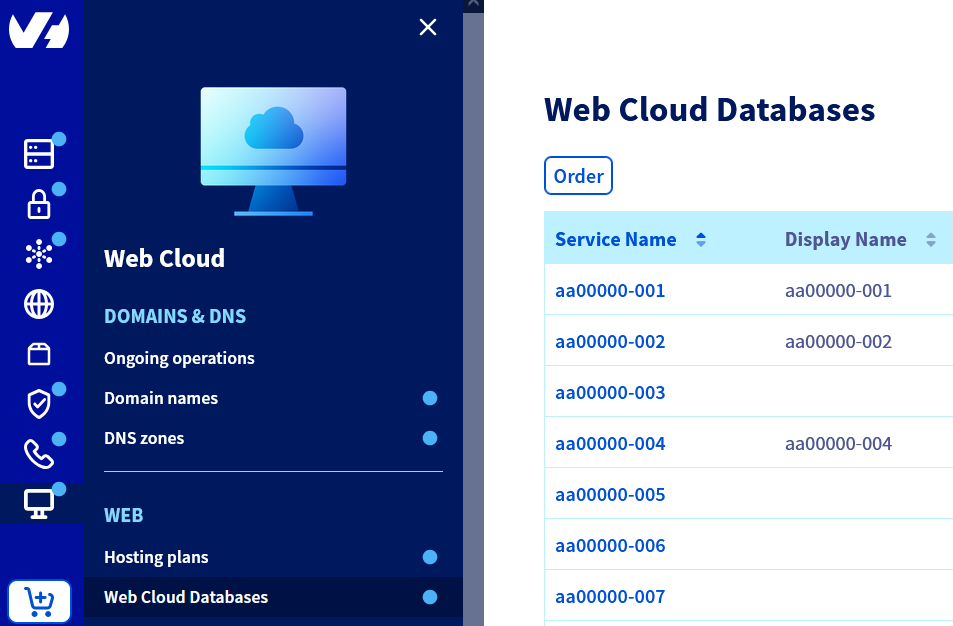
Go to the Web Cloud Databases page, then select the relevant service.
**Step 2**
Click on the Databases tab. In the **"Extensions"** column, click on the table icon for the relevant database.

**Step 3**
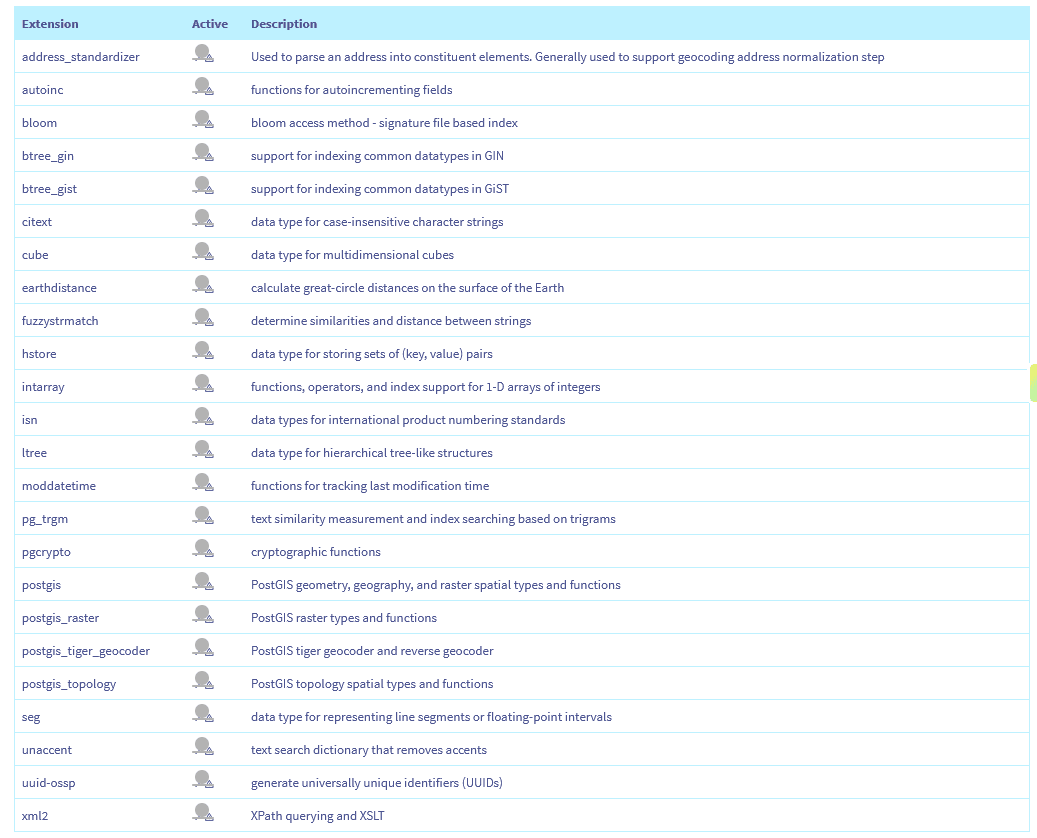
In the window that appears, find the extension you want in the list of available extensions. Then enable it by clicking on the corresponding icon in the **"Active"** column.
:::info
Enabling an extension applies to the selected database. To enable it on another database on the same server, repeat the operation by selecting the database concerned.
:::
### Available extensions
The list of extensions offered depends on the PostgreSQL version used by your server. The extensions available for your version are displayed in the activation window.
Here is the list of available extensions:
| Extension | Description |
| ------------------------ | ----------------------------------------------------------------------------------------------------------------------- |
| `address_standardizer` | Used to parse an address into constituent elements. Generally used to support the geocoding address normalisation step. |
| `autoinc` | Functions for autoincrementing fields. |
| `bloom` | Bloom access method - signature file based index. |
| `btree_gin` | Support for indexing common datatypes in GIN. |
| `btree_gist` | Support for indexing common datatypes in GiST. |
| `citext` | Data type for case-insensitive character strings. |
| `cube` | Data type for multidimensional cubes. |
| `earthdistance` | Calculate great-circle distances on the surface of the Earth. |
| `fuzzystrmatch` | Determine similarities and distance between strings. |
| `hstore` | Data type for storing sets of (key, value) pairs. |
| `intarray` | Functions, operators, and index support for 1-D arrays of integers. |
| `isn` | Data types for international product numbering standards. |
| `ltree` | Data type for hierarchical tree-like structures. |
| `moddatetime` | Functions for tracking last modification time. |
| `pg_trgm` | Text similarity measurement and index searching based on trigrams. |
| `pgcrypto` | Cryptographic functions. |
| `postgis` | PostGIS geometry, geography, and raster spatial types and functions. |
| `postgis_raster` | PostGIS raster types and functions. |
| `postgis_tiger_geocoder` | PostGIS tiger geocoder and reverse geocoder. |
| `postgis_topology` | PostGIS topology spatial types and functions. |
| `seg` | Data type for representing line segments or floating-point intervals. |
| `unaccent` | Text search dictionary that removes accents. |
| `uuid-ossp` | Generate universally unique identifiers (UUIDs). |
| `xml2` | XPath querying and XSLT. |
## Go further
[Configuring your database server](/en/guides/web-cloud/databases/db-configure-optimise-database-server.md)
[Getting started with PostgreSQL](/en/guides/web-cloud/databases/db-getting-started-postgresql.md)
For specialised services (SEO, development, etc.), contact [OVHcloud partners](https://partner.ovhcloud.com/en-gb/directory/).
If you would like assistance using and configuring your OVHcloud solutions, please refer to our [support offers](https://www.ovhcloud.com/en-gb/support-levels/).
Join our [community of users](https://community.ovhcloud.com/).