---
title: "How to detach the Web Cloud Databases solution from a web hosting plan"
description: "Find out how to unlink your Web Cloud Databases solution from a web hosting plan"
url: https://docs.ovhcloud.com/en/guides/web-cloud/databases/db-detach-from-web-hosting
lang: en
lastUpdated: 2026-06-08
---
# How to detach the Web Cloud Databases solution from a web hosting plan
## Objective
[Web Cloud Databases](https://www.ovhcloud.com/en-gb/web-cloud/databases/) can be activated free of charge from our [web hosting](https://www.ovhcloud.com/en-gb/web-hosting/) Performance, Agency, Agency Plus and Agency Max plans. In this case, they are associated with the web hosting plan from which they have been activated. As you use your services, you may find that you need to unlink your Web Cloud Databases solution from the web hosting plan it is linked to.
**This guide explains how to unlink your Web Cloud Databases solution from a web hosting plan.**
## Requirements
- You have a [Web Cloud Databases instance](https://www.ovhcloud.com/en-gb/web-cloud/databases/) associated with a [Web Hosting](https://www.ovhcloud.com/en-gb/web-hosting/) Performance, Agency, Agency Plus or Agency Max plan.
- You are the [Administrator](/en/guides/account-and-service-management/account-information/managing-contacts.md) contact of the OVHcloud services concerned.
***
### OVHcloud Control Panel Access
- **Direct link:** Hosting plans
- **Navigation path:** Web Cloud > Hosting plans > Select your web hosting plan
***
## Instructions
Click on the tabs below to view each of the **3** steps.
**Step 1**
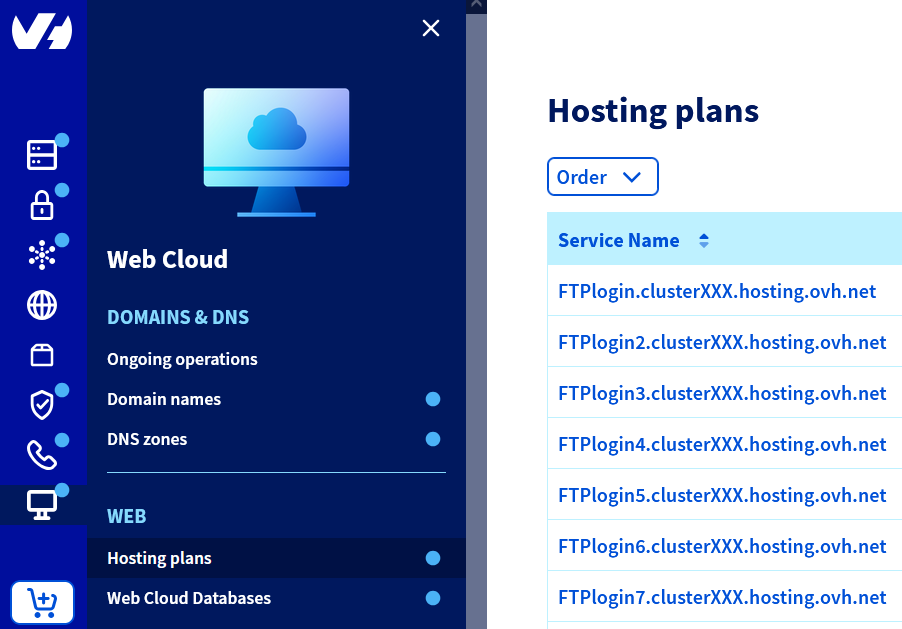
Go to the Hosting plans page, then select the web hosting plan concerned.
**Step 2**
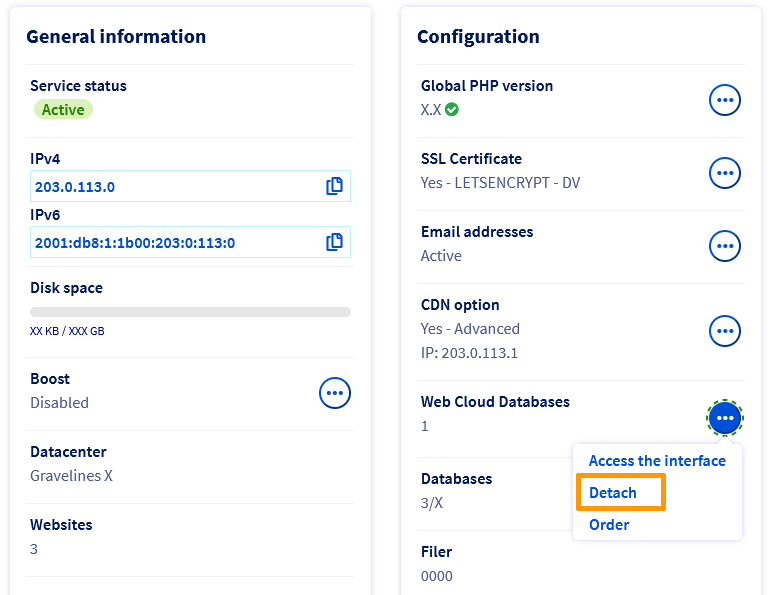
In the **Configuration** box, Click the ... button next to **Web Cloud Databases**, then Detach.
**Step 3**
On the new page that pops up, choose the new pricing for your Web Cloud Databases solution, then follow the steps indicated until you pay.
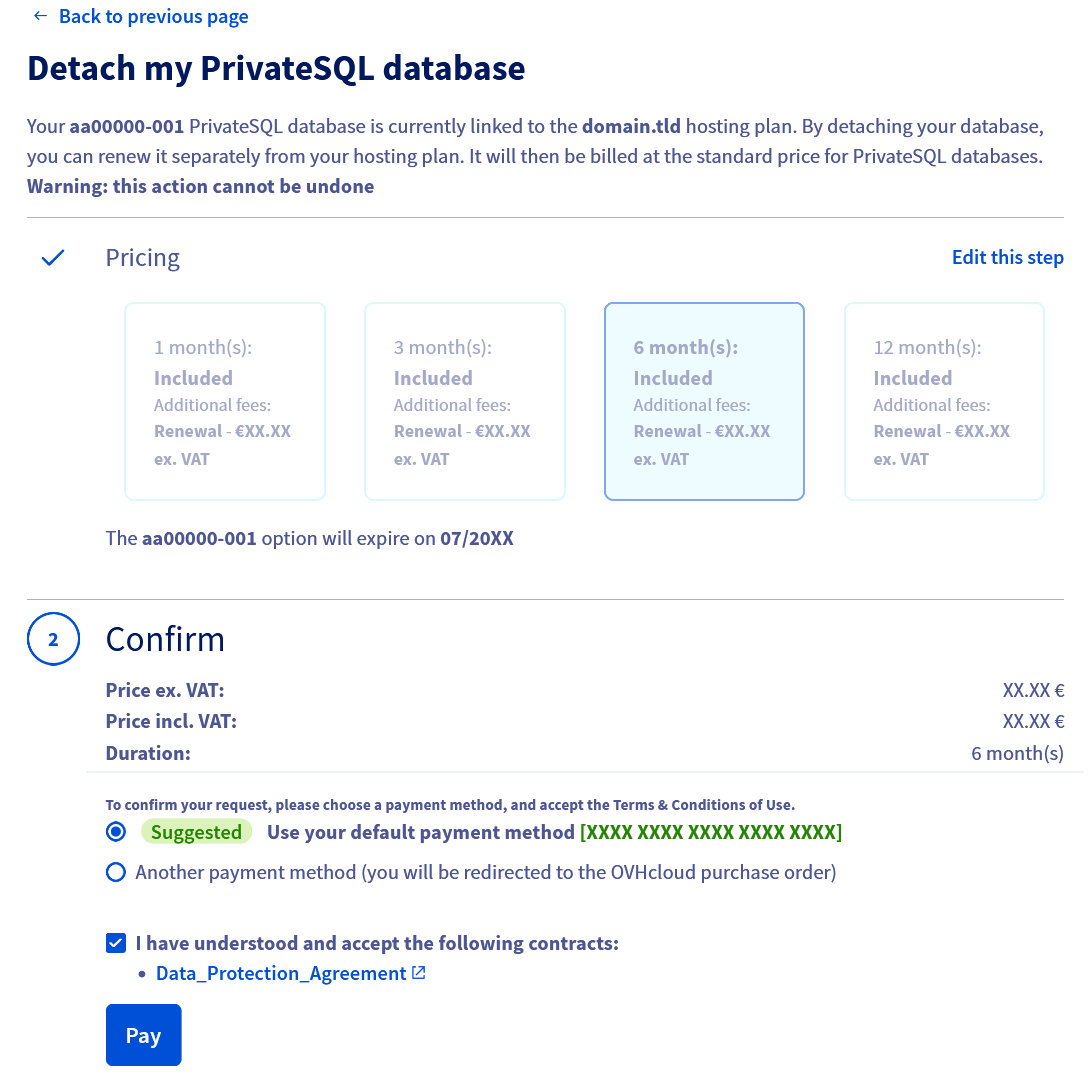
Once you have completed the 4 steps, your Web Cloud Databases solution will be unbound within a maximum of a few hours.
## Go further
For specialised services (SEO, development, etc.), contact [OVHcloud partners](https://partner.ovhcloud.com/en-gb/directory/).
If you would like assistance using and configuring your OVHcloud solutions, please refer to our [support offers](https://www.ovhcloud.com/en-gb/support-levels/).
Join our [community of users](https://community.ovhcloud.com/).