---
title: "Healthcare (HDS) compliance activation"
description: "Find out how to enable the option for hosting healthcare data on your Public Cloud project"
url: https://docs.ovhcloud.com/en/guides/public-cloud/cross-functional/activate-hds-certification
lang: en
lastUpdated: 2024-03-28
---
# Healthcare (HDS) compliance activation
## Objective
To make your Public Cloud infrastructure and platforms compliant with [healthcare data hosting](https://www.ovhcloud.com/en-gb/enterprise/certification-conformity/hds/) in France, they must necessarily be certified as a healthcare data hosting provider (HDS).
OVHcloud Public Cloud services are HDS certified for certain activities listed in the [certification reference](https://esante.gouv.fr/labels-certifications/hds/certification-des-hebergeurs-de-donnees-de-sante) of the French Digital Health Agency.
The list of certified OVHcloud products is available on the page “[OVHcloud products HDS certification](/en/guides/account-and-service-management/account-information/hds-certification.md)”.
**Find out how to enable the option for hosting healthcare data on your Public Cloud project**
## Requirements
- You must have signed up to the [Business or Enterprise level of support](https://www.ovhcloud.com/en-gb/support-levels/) for your OVHcloud account.
***
### OVHcloud Control Panel Access
- **Direct link:** Public Cloud Projects
- **Navigation path:** Public Cloud > Select your project
***
## Instructions
### Enabling the HDS option when creating a new Public Cloud project
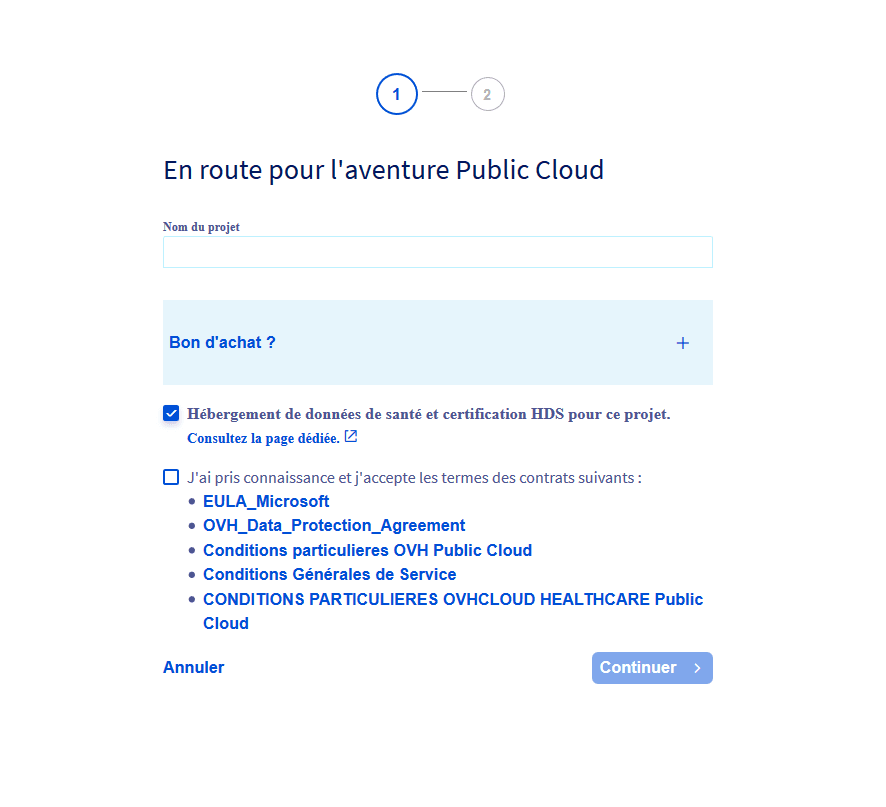
Create a new Public Cloud project.
If you have subscribed to the Business or Enterprise support level, you can then tick the `Healthcare data hosting and HDS certification for this project` box.
You will then have access to the special conditions for hosting healthcare data. Check the information and tick the box next to it. Click `Continue
` to finish creating your project. The services in this project will be HDS certified, in accordance with the contractual conditions.
### Enabling the HDS option on an existing Public Cloud project
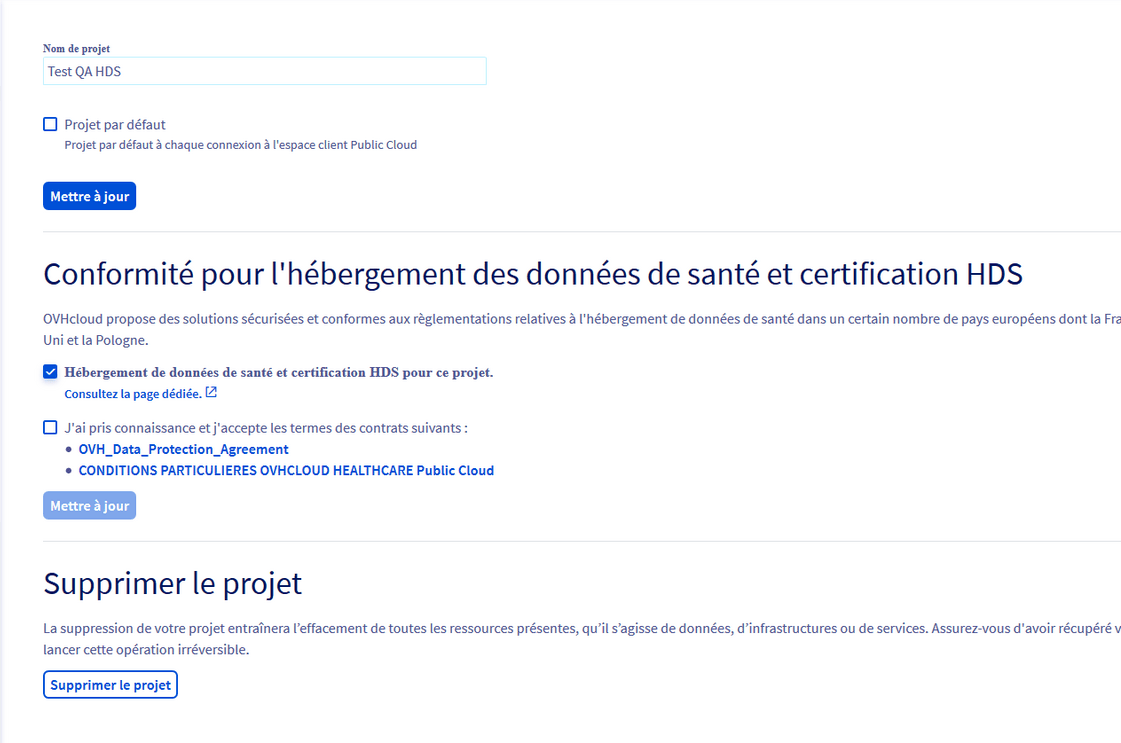
Select the Public Cloud project for which you would like the services to be HDS certified.
Click `Settings
`. If you have subscribed to the Business or Enterprise support level, you can then tick the `Healthcare data hosting and HDS certification for this project`
box.
You will then have access to the special conditions for hosting healthcare data.
Review the information and check the box for accepting the contracts. Finally, click `Update
` to finalize the HDS certification process for your project, in accordance with the contractual conditions.
## Go further
[Public Cloud documentation](/en/guides/public-cloud/compute/overview.md)
Join our [community of users](https://community.ovhcloud.com/).