---
title: "Using Private Cloud within a vRack"
description: "Find out how to use vRack with an SDDC solution"
url: https://docs.ovhcloud.com/en/guides/hosted-private-cloud/powered-by-vmware/using-private-cloud-in-vrack
lang: en
lastUpdated: 2022-03-28
---
# Using Private Cloud within a vRack
## Objective
The OVHcloud vRack feature makes it possible to connect different cloud services with each other, within one or more secure private networks (VLANs).
**This guide explains how to set the solution up with a Hosted Private Cloud infrastructure.**
***
### OVHcloud Control Panel Access
- **Direct link:** [vRack](https://manager.eu.ovhcloud.com/#/dedicated/vrack)
- **Navigation path:** Network > vRack private network
***
## Requirements
- A [vRack](https://www.ovhcloud.com/en-gb/network/vrack/) service in your account or order one if needed
- Being an administrative contact of your [Hosted Private Cloud infrastructure](https://www.ovhcloud.com/en-gb/enterprise/products/hosted-private-cloud/) to receive login credentials
- A user account with access to vSphere (created in the OVHcloud Control Panel)
## Instructions
### OVHcloud Control Panel
After your [Hosted Private Cloud infrastructure](https://www.ovhcloud.com/en-gb/enterprise/products/hosted-private-cloud/)
is delivered, it will be displayed in the `vRack
` section in your OVHcloud Control Panel
.
To access it, go to the `Bare Metal Cloud
` section, click on `Network
`, then on `vRack
`. Select your vRack from the list and the "datacenter" will be automatically included into a vRack.
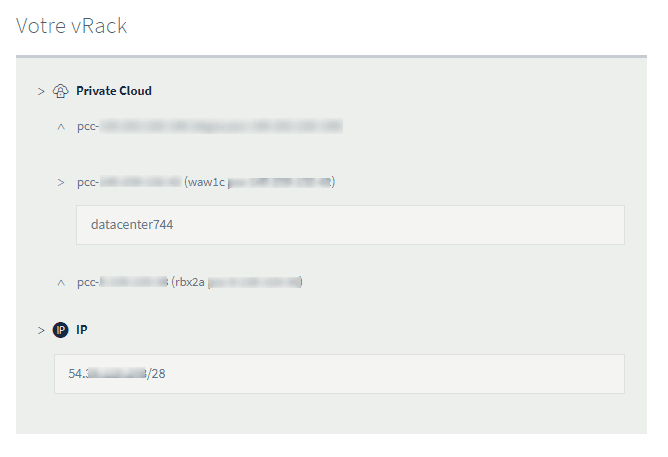
You can move the "datacenter" of your Private Cloud to another vRack by selecting it and clicking on the `Move
` button.
### vSphere client
In the vSphere client, you can find vRack-capable VLANs in the `Networks` section, located in the _vrack_ folder.
:::tip
By default, OVHcloud delivers an infrastructure with 11 VLANs included (VLAN10 to VLAN20).
:::
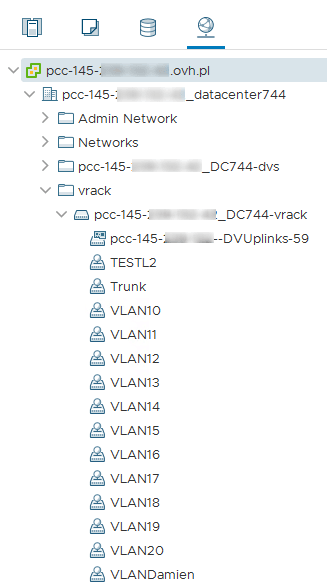
You can change their settings or create them again by following [this guide](/en/guides/hosted-private-cloud/powered-by-vmware/create-vlan.md).
You can then assign these _Distributed Port Groups_ to the network interfaces of your virtual machines.
## Go further
Join our community of users on [https://community.ovh.com/en/](https://community.ovh.com/en/).