---
title: "Hardware upgrade on an Advance, High Grade or Scale dedicated server"
description: "Find out how to request a hardware upgrade on Advance, High Grade & SCALE ranges via the OVHcloud Control Panel"
url: https://docs.ovhcloud.com/en/guides/bare-metal-cloud/dedicated-servers/hardware-upgrade-hg-scale
lang: en
lastUpdated: 2026-06-04
---
# Hardware upgrade on an Advance, High Grade or Scale dedicated server
## Objective
Our High Grade and Scale servers offer a scalable option that allows you increase your disk space and RAM.
**The purpose of this guide is to walk you through the process of requesting a hardware upgrade on OVHcloud High Grade and SCALE dedicated servers.**
:::info
The steps in this guide only apply to our new ranges (Advance, High Grade and Scale). For older ranges, the request must be made via a support ticket.
:::
## Requirements
- An [Advance](https://www.ovhcloud.com/en-gb/bare-metal/advance/), [High Grade](https://www.ovhcloud.com/en-gb/bare-metal/high-grade/) or [SCALE](https://www.ovhcloud.com/en-gb/bare-metal/scale/) server
***
### OVHcloud Control Panel Access
- **Direct link:** Dedicated Servers
- **Navigation path:** Bare Metal Cloud > Dedicated servers > Select your server
***
## Instructions
### Upgrade your RAM
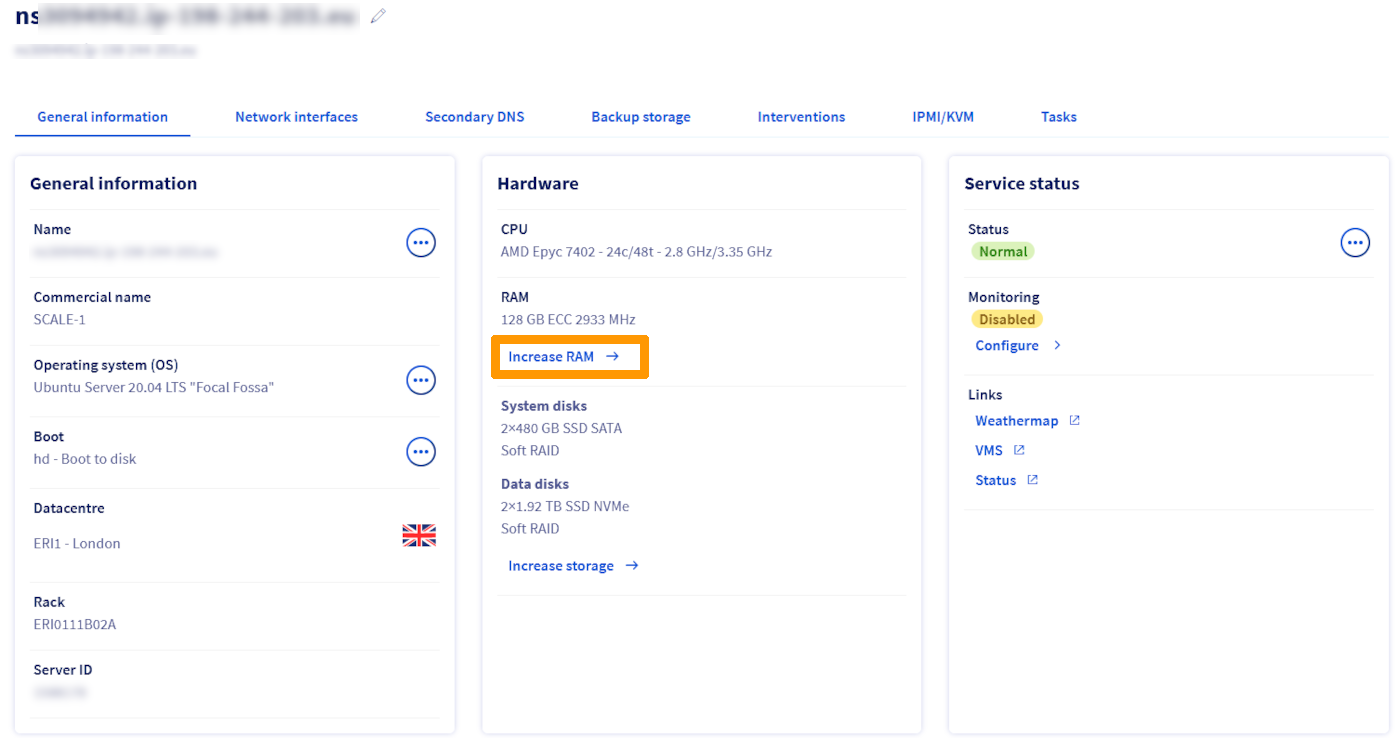
In the `Hardware
` section, click on `Increase RAM
`.
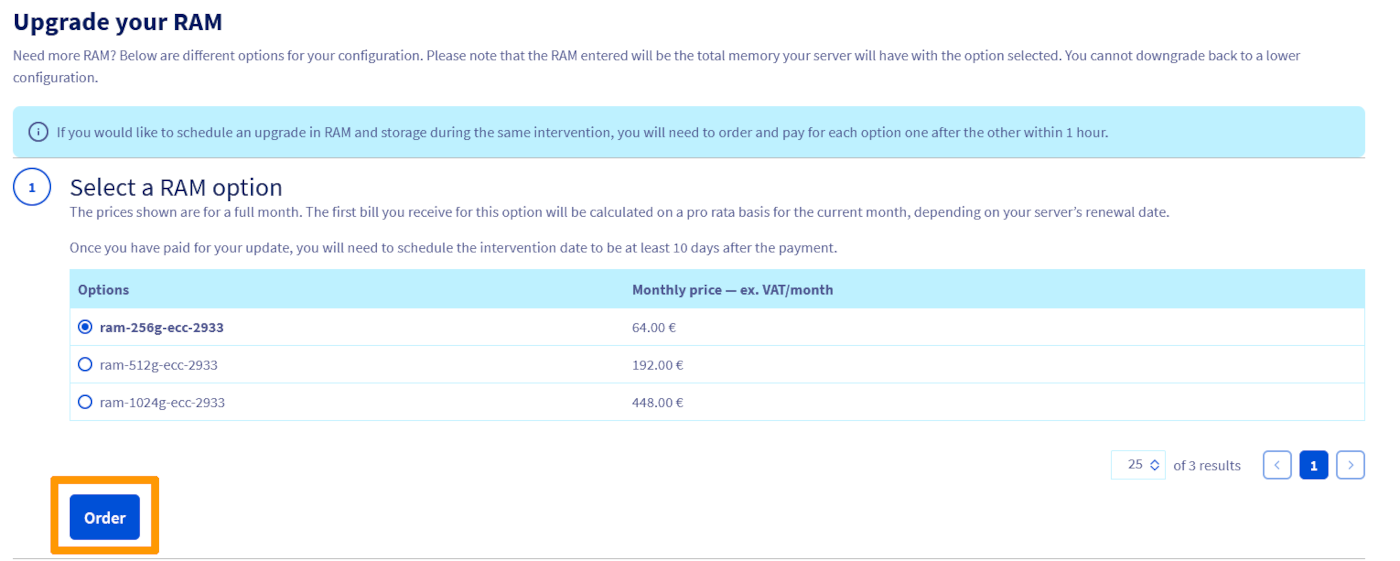
In the next tab, select the desired RAM option and click on `Order
`.
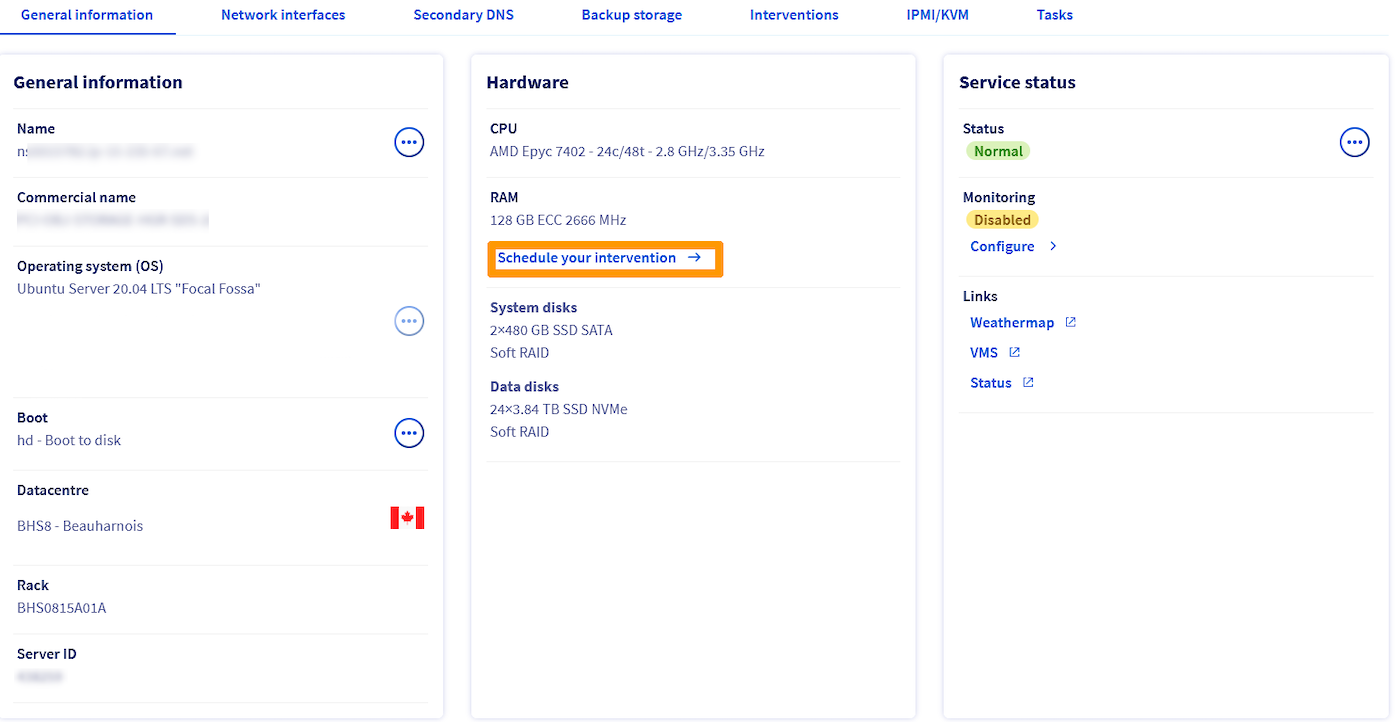
Once the order is paid, a confirmation email will be sent to your account with a link to schedule the intervention for the RAM upgrade.
When you click on the link provided in the email, you will be redirected to the dedicated server's dashboard. This time, click on `Schedule your intervention
`.
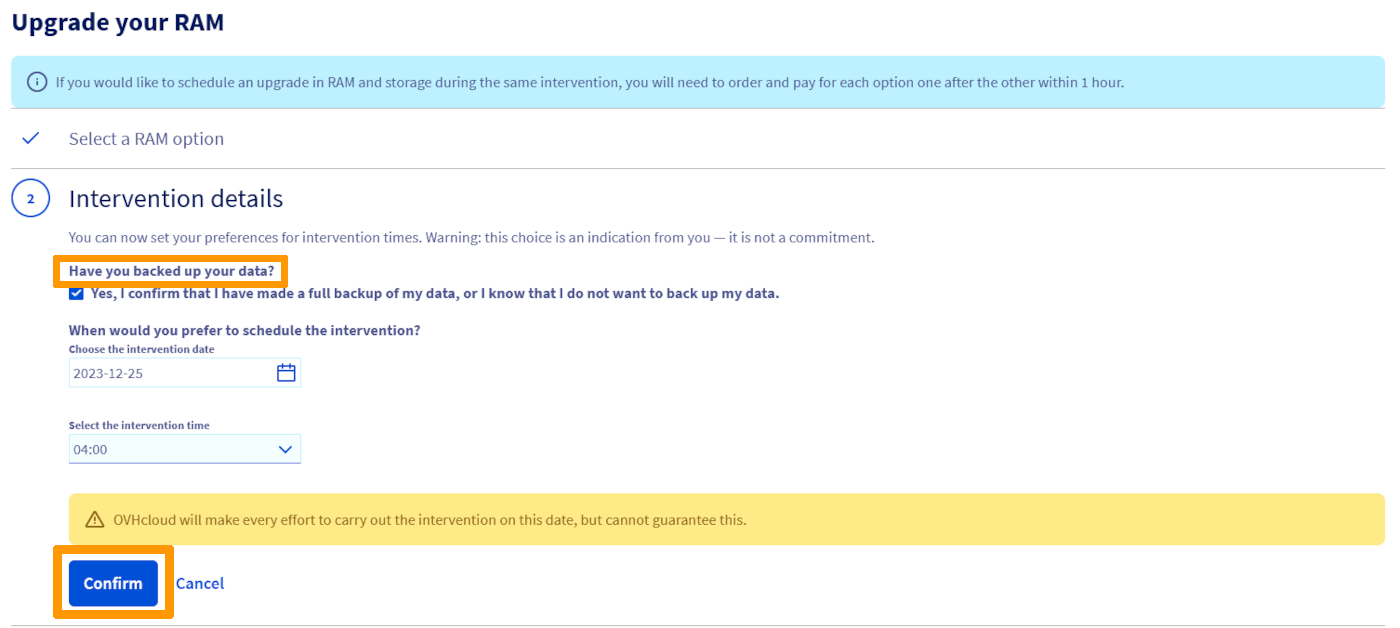
Check the box underneath `Have you backed up your data?
` and select the available date and time. Please note that our data center technicians require a preparation period, so the first date of availability is set after a minimum period of 10 days.
Next, click on `Confirm
`.
Once done, you will receive an email with the date and time of the intervention.
### Upgrade Storage
In the `Hardware
` section, click on `Increase storage
`.
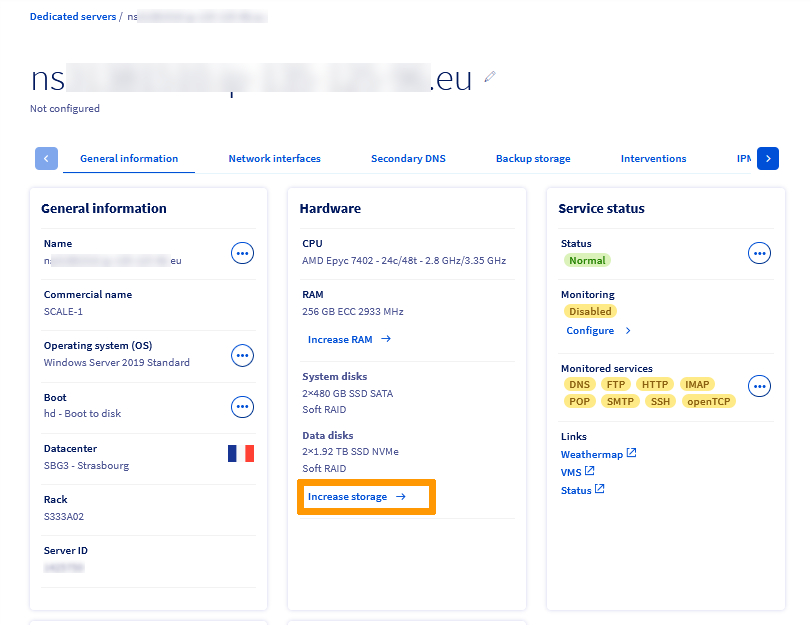
In the next tab, select the desired storage option and click on `Order
`.
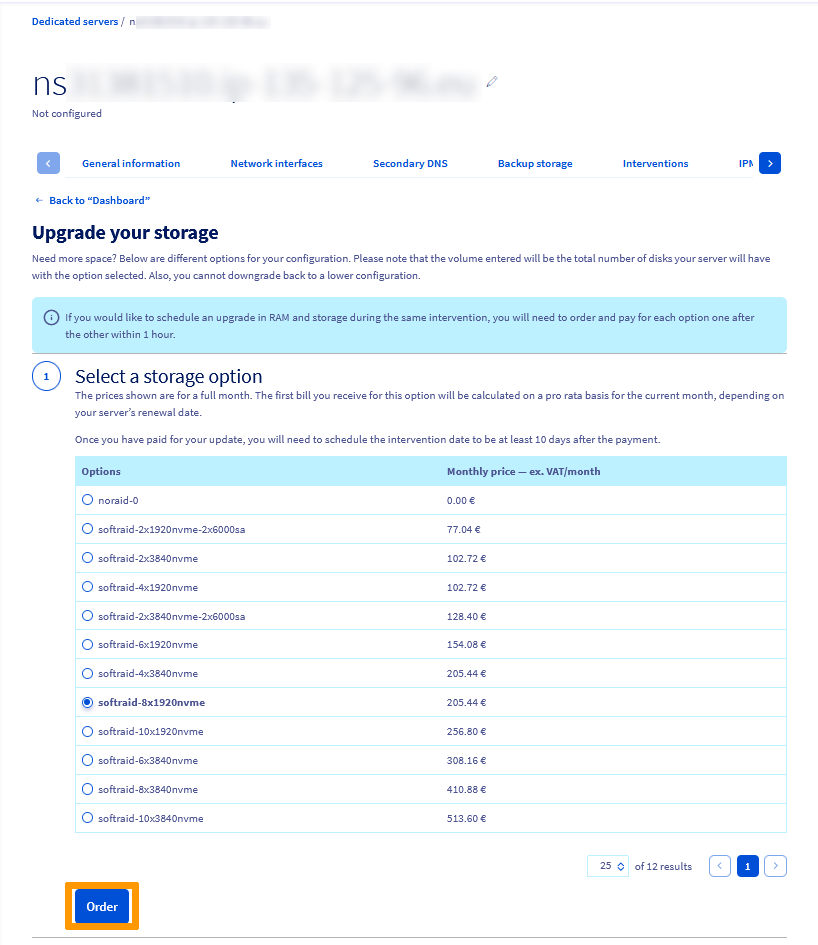
Once the order is paid, a confirmation email will be sent to your account with a link to schedule the intervention for the hardware upgrade.
When you click on the link provided in the email, you will be redirected to the dedicated server's dashboard. This time, click on `Schedule your intervention
`.
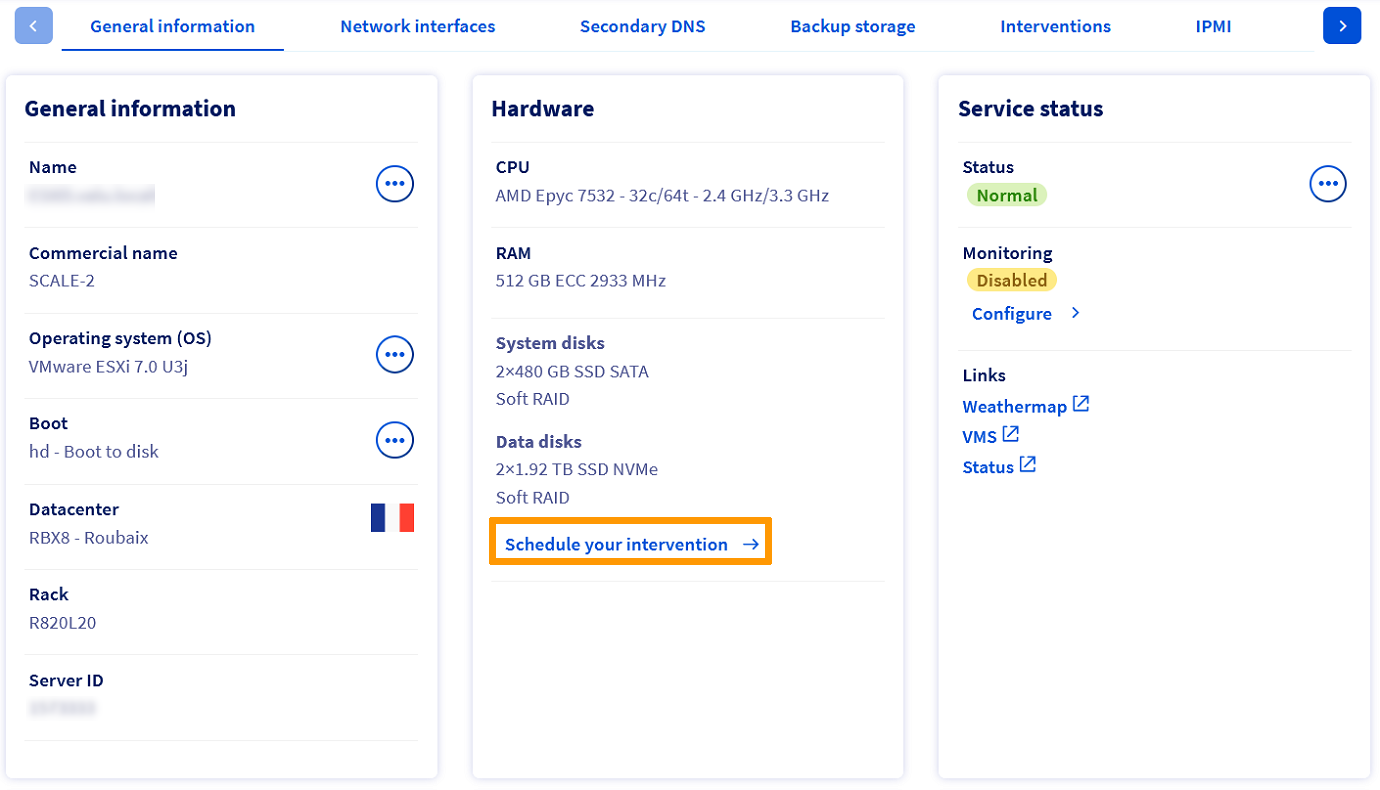
Check the box underneath `Have you backed up your data?
` and select the available date and time. Please note that our data center technicians require a preparation period, so the first date of availability is set after a minimum period of 10 days.
Next, click on `Confirm
`.
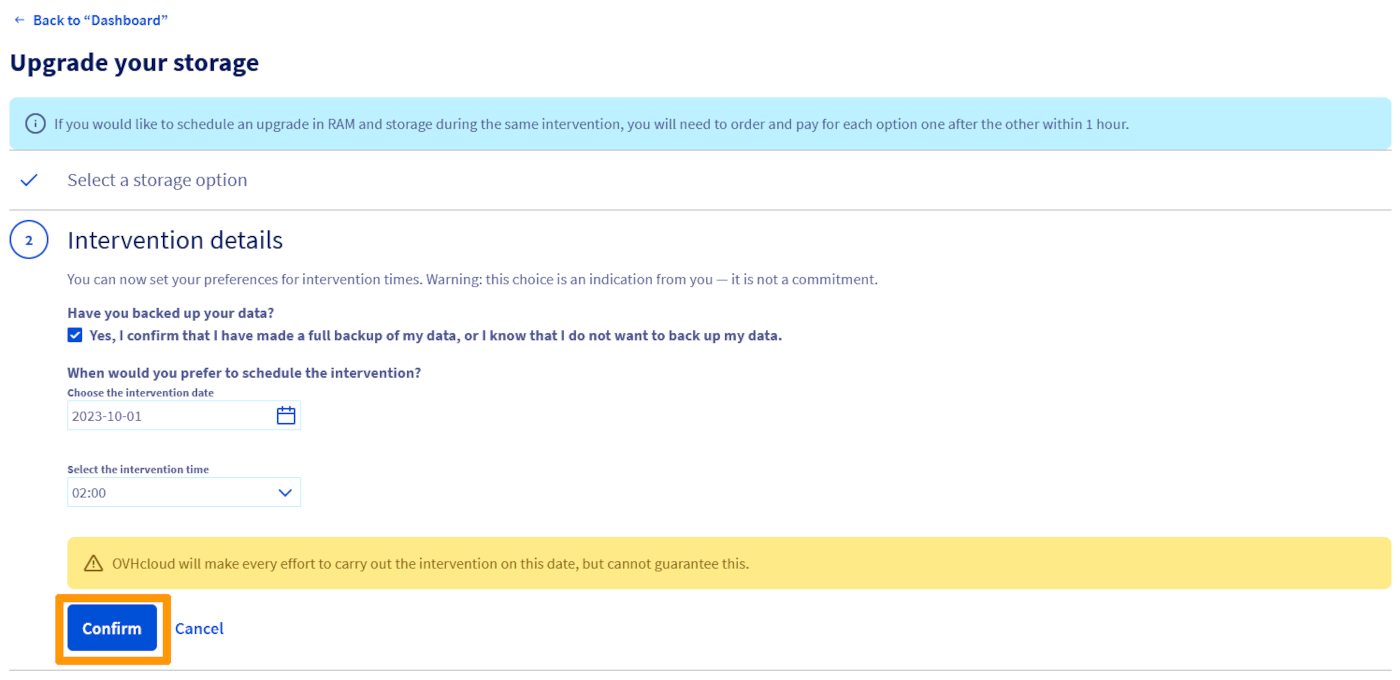
Once done, you will receive an email with the date and time of the intervention.
If you would like to schedule an upgrade in RAM and storage during the same intervention, you will need to order and pay for each option one after the other within 1 hour.
## Go further
Join our [community of users](https://community.ovhcloud.com/).