---
title: "How to sign your Startup Program contract"
description: "Find out how to sign your OVHcloud Startup Program contract to activate your credits quickly"
url: https://docs.ovhcloud.com/en/guides/account-and-service-management/startup-program/sign-agreement
lang: en
lastUpdated: 2025-12-11
---
# How to sign your Startup Program contract
## Objective
To participate in the OVHcloud Startup Program, signing the contract is an essential step. Once your application is accepted, you will receive an email asking you to sign the contract in your OVHcloud Control Panel.
**This guide explains how to access and sign this contract so that your credits are activated quickly.**
## Requirements
Your Startup Program application must have been accepted.
***
### OVHcloud Control Panel Access
- **Direct link:** My offers and services
- **Navigation path:** Click your name in the top right > My offers and services
***
## Instructions
### Signing the contract via the OVHcloud Control Panel
You can access the contract directly in your customer account.
Make sure to log in with the account you used to apply for the Startup Program. In My offers and services
, select the `Contracts
` tab.
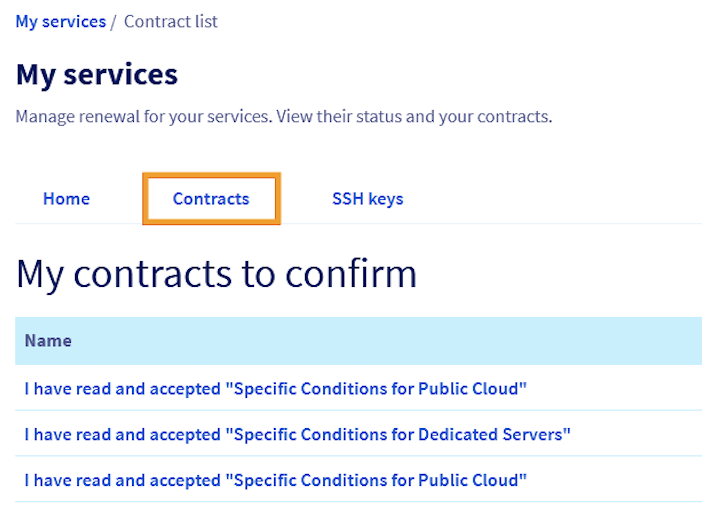
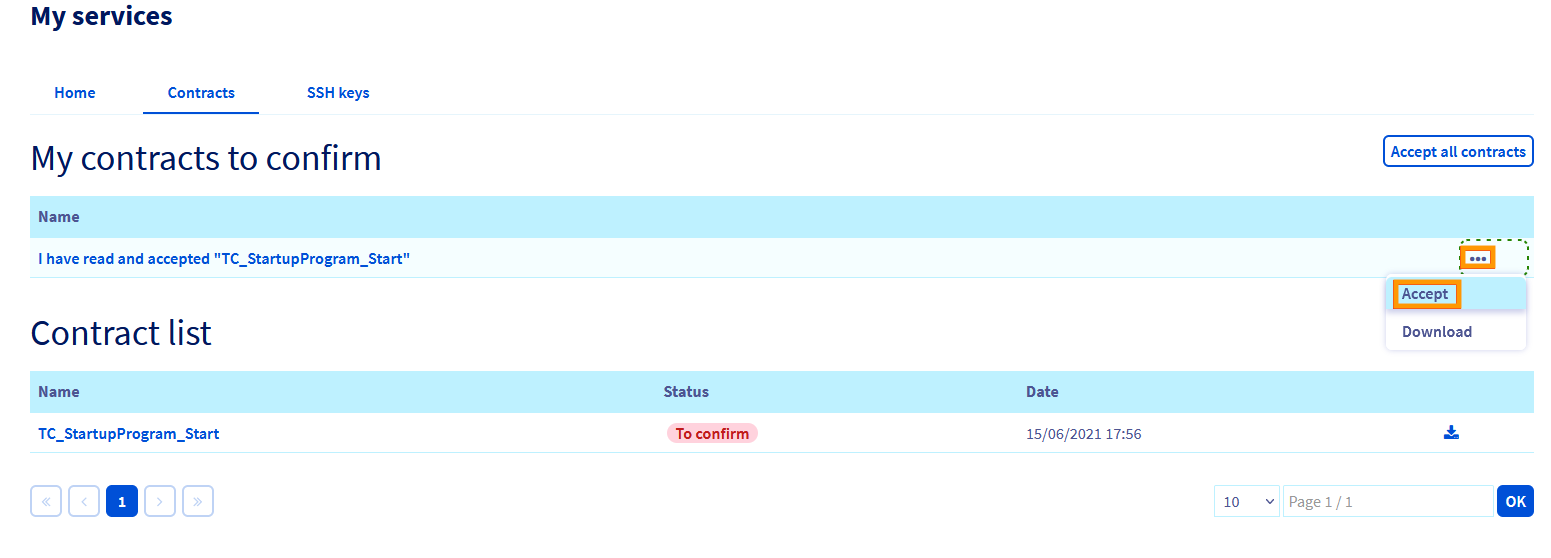
Look for your Startup Program contract in the `My contracts to confirm` section.
Click the `...
` button to the right of the contract to download and review it.
Click the `...
` button again and select `Accept`
to validate the contract acceptance.
After signing, your credits will be credited to your account within 48 business hours, and you will be able to fully benefit from the program's advantages.
Your signed contract will remain available in the `Contracts
` tab of your Control Panel for reference at any time.