---
title: "Konfigurieren von NAT für Port-Weiterleitungen mit NSX (EN)"
description: "Learn how to configure NAT to create port redirections"
url: https://docs.ovhcloud.com/de/guides/hosted-private-cloud/powered-by-vmware/nsx-configure-nat-redirection
lang: de
lastUpdated: 2026-06-11
---
# Konfigurieren von NAT für Port-Weiterleitungen mit NSX (EN)
## Objective
**Learn how to configure NAT to create port redirections with NSX.**
:::warning
OVHcloud provides services for which you are responsible, with regard to their configuration and management. It is therefore your responsibility to ensure that they work properly.
This guide is designed to assist you as much as possible with common tasks. However, we recommend contacting a [specialist provider](https://partner.ovhcloud.com/de/directory/) if you experience any difficulties or doubts when it comes to managing, using or setting up a service on a server.
:::
## Requirements
- Being an administrative contact of your [Hosted Private Cloud infrastructure](https://www.ovhcloud.com/de/enterprise/products/hosted-private-cloud/) to receive login credentials.
- A user account with access to the OVHcloud Control Panel.
- Having **NSX** deployed with two segments configured in your NSX configuration, you can use our guide on [segment management in NSX](/de/guides/hosted-private-cloud/powered-by-vmware/nsx-segment-management.md) for more information.
## Instructions
When you deploy your NSX solution, a SNAT rule is automatically created by OVHcloud, so you can go online from your segments.
We will add a redirection rule (DNAT) from the public virtual IP address on port 2222 in TCP to a virtual machine on LINUX on port 22 in TCP. In our example, we will use fictitious IP addresses.
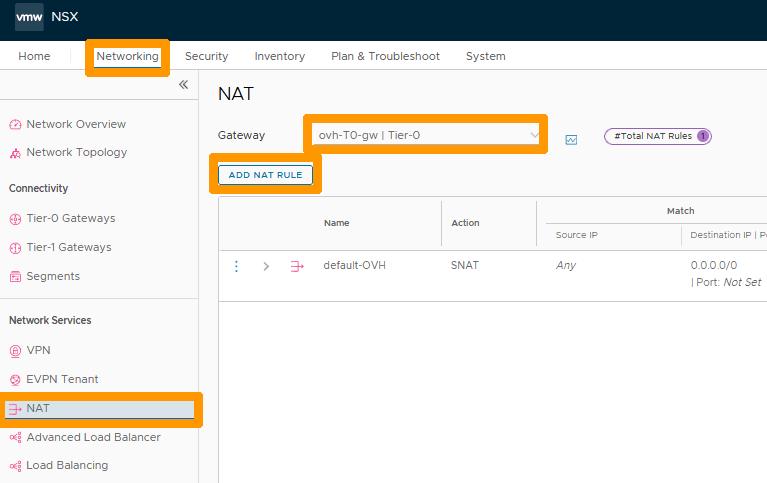
In the NSX interface, go to the `Networking
` tab, select `NAT
` in the **Network Services**
section, then select `ovh-T0-gw | Tier-0
` to the right of **Gateway**
and click `ADD NAT RULE
`.
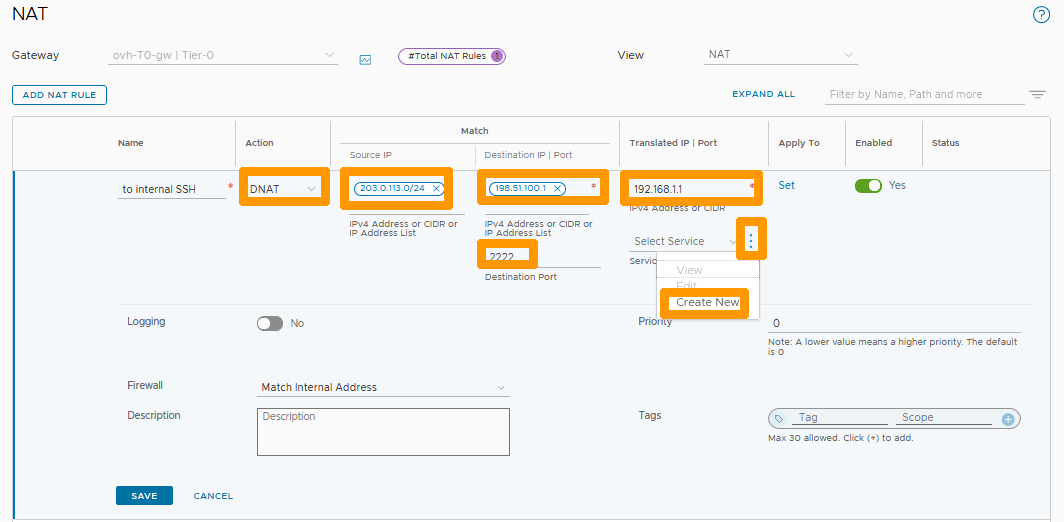
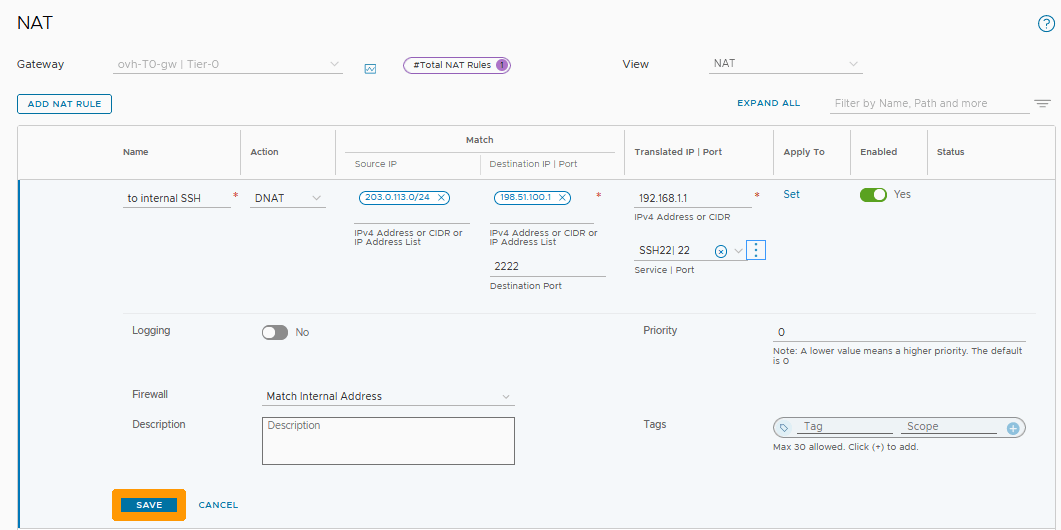
Fill in this information:
- **Action**: Select DNAT.
- **Source IP**: Enter the IP address or range of addresses that can use this redirection.
- **Destination IP**: Public virtual IP address of NSX.
- **Destination PORT**: Listening port on public address such as `2222`.
- **Translated IP**: IP address of the virtual machine being redirected to.
Then click on the `three vertical dots
` to the right of **Select Services**
.
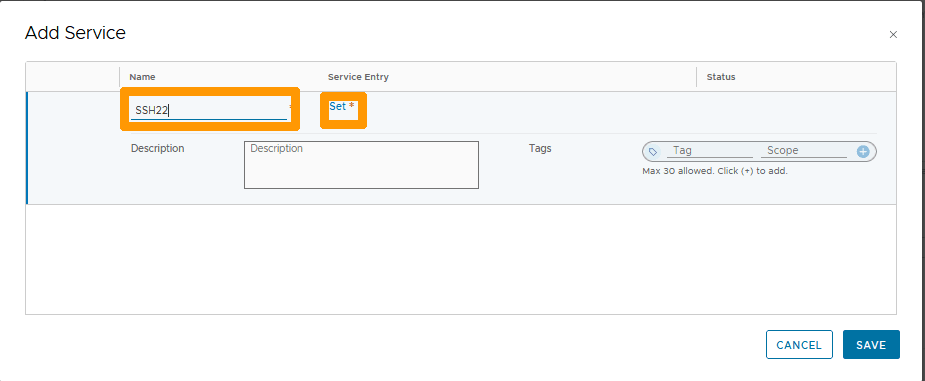
Enter `SSH22
` under the **Name**
column and click `Set
` under the **Service Entry**
column.
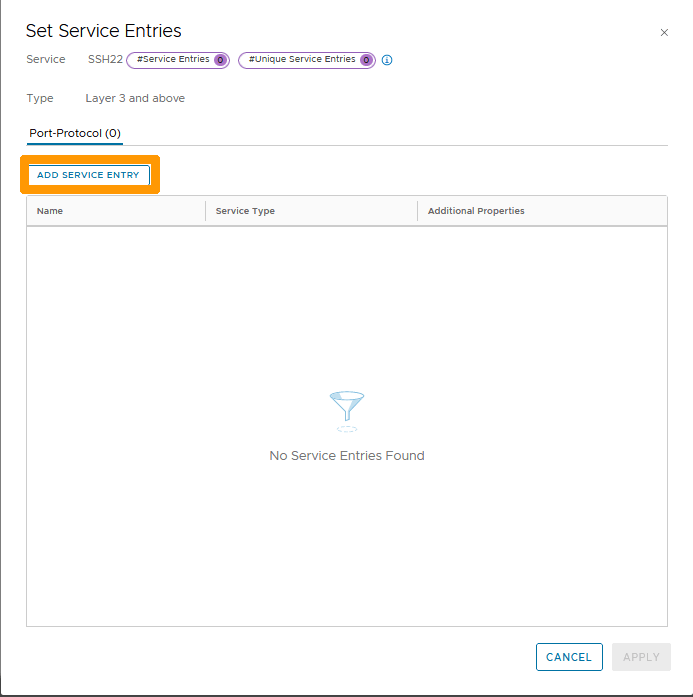
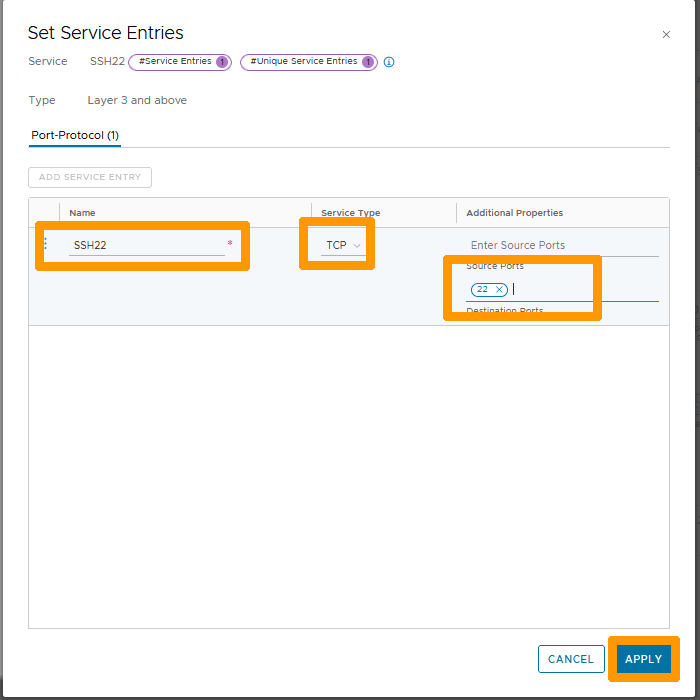
Click `ADD SERVICE ENTRY
`.
Fill in these values:
- **Name**: Enter `SSH22`.
- **Service Type**: Select TCP.
- **Source Ports**: Write the number `22`.
Then click `APPLY
`.
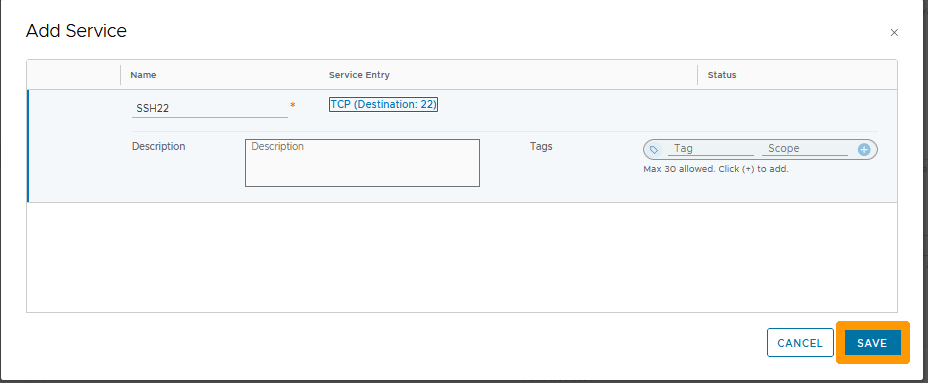
Click `SAVE
`.
Click `SAVE
` to confirm the creation of the redirection rule.
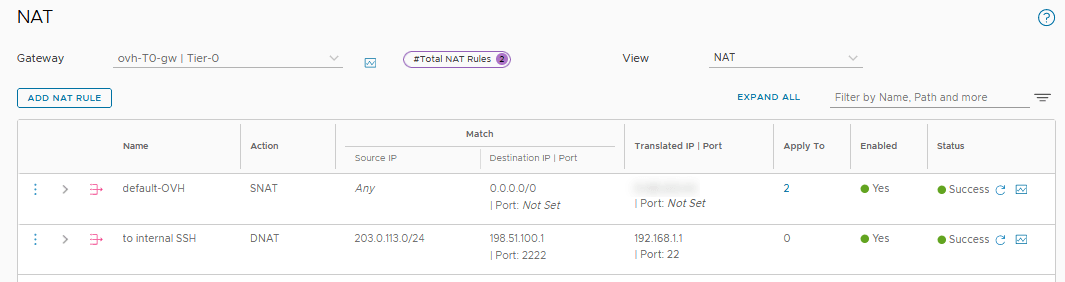
The rule is created and active.
## Go further [](#)
[Getting started with NSX](/de/guides/hosted-private-cloud/powered-by-vmware/nsx-first-steps.md)
[Segment management in NSX](/de/guides/hosted-private-cloud/powered-by-vmware/nsx-segment-management.md)
[VMware NAT in NSX documentation](https://docs.vmware.com/en/VMware-NSX-T-Data-Center/3.2/administration/GUID-7AD2C384-4303-4D6C-A44A-DEF45AA18A92.html)
If you need training or technical assistance to implement our solutions, contact your sales representative or click on [this link](https://www.ovhcloud.com/de/professional-services/) to get a quote and ask our Professional Services experts for a custom analysis of your project.
Join our [community of users](https://community.ovhcloud.com/).